
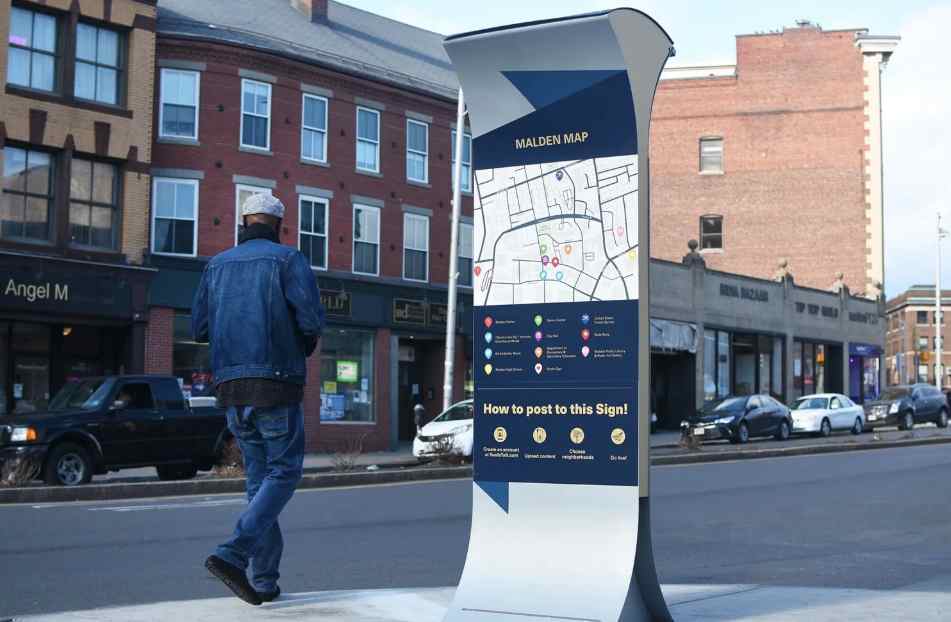
Navigating an unfamiliar facility, commercial campus, construction area, or residential development can be frustrating for visitors if clear directional cues are missing. Wayfinding signage systems provide the visual orientation people need to navigate physical environments efficiently and safely. A well-designed site signage network reduces confusion, manages traffic flow, improves safety compliance, and leaves a positive impression on guests.
Building a logical wayfinding system involves assessing visitor pathways, establishing clear visual hierarchies, and using durable site displays. When reviewing spatial navigation principles and site display hardware, examining technical resources from wayfinding designers like AlphaGraphics Crystal Lake shows how directional yard displays, entrance pylons, and regulatory markers form cohesive navigation networks. By systematically mapping visitor routes and designing accessible signs, facility managers can create user-friendly environments.
1. The Four Functional Types of Wayfinding Signage
A comprehensive site signage system relies on four distinct sign categories working together to guide visitors from arrival to departure.
Core Signage Categories
- Identification Signs: Placed at destinations to confirm arrivals—such as building entrance plaques, room numbers, and main facility markers.
- Directional Signs: Located at decision points, junctions, and crossroads, using arrows and clear text to guide visitors toward specific destinations.
- Informational Signs: Provide general context regarding the facility, including site maps, business directories, and hours of operation.
- Regulatory Signs: Display safety rules, access limits, and warning notices—such as “Authorized Personnel Only,” parking restrictions, and speed limits.
2. Mapping the Visitor Journey and Decision Points
Designing an effective wayfinding system begins with analyzing how people move through a physical space.
Visitor Navigation Sequence:
[Site Entrance] ➔ [Primary Directional Marker] ➔ [Decision Junction] ➔ [Destination Arrival]
Steps for Mapping Site Navigation
- Identify Key Entry Points: Locate all vehicular and pedestrian entry locations across the facility perimeter.
- Pinpoint Decision Junctions: Determine where visitors must choose a direction—such as roadway forks, parking lot intersections, and building entryways.
- Establish Consistent Sightlines: Position signs where they are clearly visible without being blocked by landscaping, parked vehicles, or architectural elements.
- Group Related Information: Combine directional notices logically at major decision points to prevent cluttering the landscape with excessive posts.
3. Design Standards for Clarity and Universal Accessibility
Wayfinding signs must convey information instantly to people of varying visual abilities, languages, and ages.
Essential Design Rules
- Standardized Symbol Usage: Incorporate internationally recognized pictograms (e.g., parking symbols, rest room icons, handicap access) to assist non-native speakers.
- Optimal Font Sizing: Ensure lettering sizes correspond to viewing distances (e.g., 1 inch of letter height per 10 feet of viewing distance for vehicle traffic).
- Color Coding Systems: Assign distinct background colors to different zones or departments (e.g., green for guest parking, blue for medical wings, red for emergency bays).
- High-Contrast Text: Pair dark fonts with light background panels to maintain readability under varying weather and lighting conditions.
4. Selecting Durable Materials for Site Signage
Site and yard signs must withstand environmental conditions while maintaining a clean, professional appearance over time.
Recommended Substrates
- Aluminum Panels with Reflective Sheeting: Superior choice for vehicular roadway signs, ensuring visibility at night under headlight illumination.
- Heavy-Duty Corrugated Plastic: Practical for temporary job site directional markers, real estate developments, and short-term directional needs.
- Carved High-Density Urethane (HDU) or Metal Monuments: Premium materials designed for permanent main entrance site identification markers.
5. Wayfinding Signage Network Summary
| Sign Function | Primary Location | Key Design Element | Target Audience |
| Identification | Main Entrances, Doors | Bold Facility Name / Logo | Arriving Visitors |
| Directional | Road Junctions, Hallways | Clear Arrows & Text | En-Route Pedestrians/Drivers |
| Informational | Lobbies, Parking Lots | Detailed Maps & Directories | People Planning Routes |
| Regulatory | Property Borders, Gates | High-Contrast Warning Colors | All Site Occupants |
By systematically mapping visitor routes, standardizing design cues, and choosing durable substrates, property managers create accessible, easy-to-navigate environments.